|
DynaCADD Drawing Downloads |
|
| About
DynaCadd |
DynaCADD was one of my favorite CAD programs.
I was one of the original beta testers. I still use it occasionally. It was first introduced for the Atari
ST around 1987. When Windows 95 was released they
switched platforms and continued it's development. Sadly, it was
discontinued when the company that created it... sold it.
Even though it's no longer supported, DynaCADD 98 can still be found on
Ebay. The 3D tools are a little dated but the 2D tools are still excellent!
|
|
| I'm
looking for something modern to replace DynaCadd |
ViaCAD
would be my best suggestion. You can usually get the 2D 3D version for
around $60 or less. Comes with tons of training videos. Gets updated
about once a year. It's not perfect but you won't find anything near the
quality for the price.
|
|
| How
to install DynaCADD in Newer versions of Windows |
DynaCADD won't install in
anything above Windows Vista. This is caused by the installer. To solve that problem I
created a new installer for the original DynaCADD CD to help install it
in newer versions of Windows. It copies the original CD files to the
correct location and adds the Windows Registry.
NOTE: DynaCADD doesn't care
about the user information. You can put anything for the serial number
and it'll work fine.
Here's how to install it.
-
Copy
the entire DynaCADD CD into a folder somewhere on your hard drive. I
named it DynaCADD Setup.
-
Download
the new installer. Click
Here to Download!
-
Unzip
the dynacadd98_copy.zip to get DynaCADD_Copy.exe.
-
Copy
the DynaCADD_Copy.exe into the setup folder with the original
dynacadd.exe. It's designed to run from there.
-
Double
click the DynaCADD_Copy.exe and install DynaCADD.
-
If
everything worked right DynaCADD should be installed. It's only been
tested with version 4.50.a of DynaCADD 98. It may
or may not work with other versions.
NOTE: This download is the
installer only. It does not include the DynaCADD 98 setup files.
Click
Here to Download the New Installer!
|
|
| Downloading
Instructions |
The DynaCADD Drawing files
below are ZIPped, They
must be unzipped before use.
After unzipping, double click
the *.prw file to open the drawing in DynaCADD. You can also start
DynaCADD and then choose Import > Project in the File
menu.
To Render the 3D object in full
color choose Render > Scanline Image in the Render
menu and then select the 3D view you wish to render.
|
|
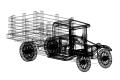
| Available
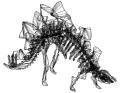
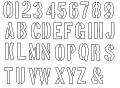
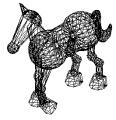
Drawings (Click Image to Download) |
 |
 |
 |
 |
|
 |
 |
|
The contents of this page are
©2018 Realm
Last Updated (July 26th, 2018)
|